
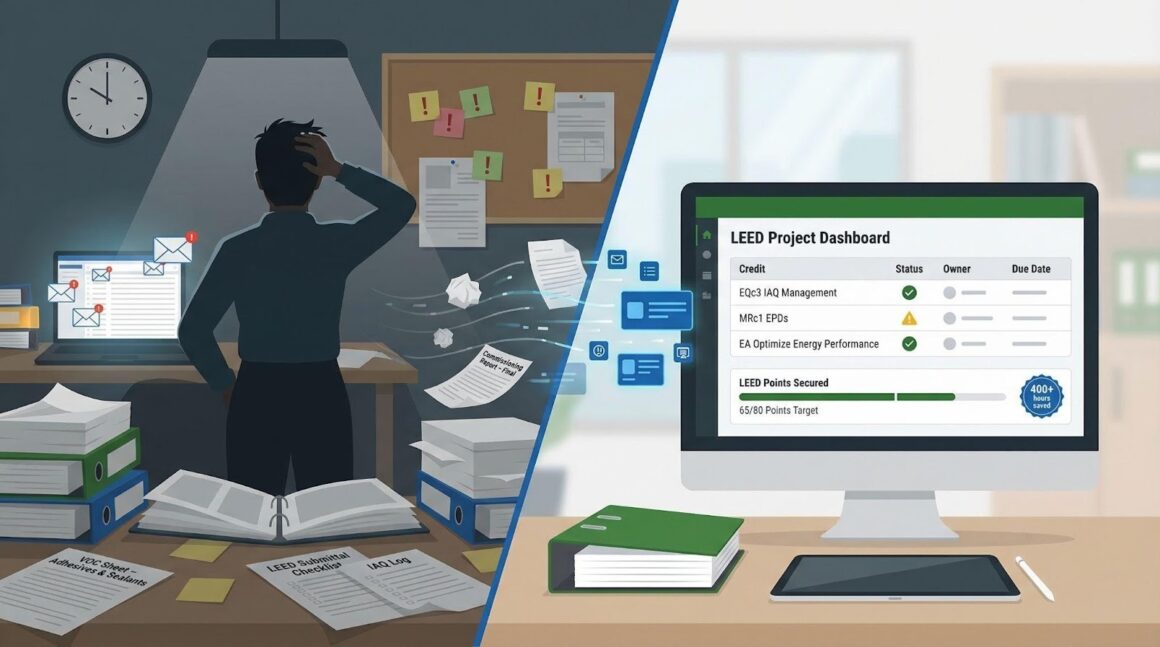
We’ve all felt it—the 11 pm scramble to locate a missing commissioning report or VOC sheet. That chaos is costly: project teams lose about 400 hours on LEED paperwork for every job, according to Green Badger’s 2020 study. One overlooked credit can yank a project from Gold to Silver and dent the reputation you promised the owner.
The upside? New tools and tighter workflows can give those hours back. This guide compares the best options so you can protect every point and reclaim your calendar. Here’s how.
How we sized up each solution
Before we look at specific tools, we defined the yardstick. We spoke with contractors, sustainability consultants, and owners who have closed at least one LEED project. Pairing their insights with the 400-hour paperwork figure, we set six criteria that separate time savers from time sinks.
First, automation. If the software can’t trim days from material take-offs or log creation, it’s noise, not help. Second, integrations. Your team already works in Procore, Revit, or SharePoint, so a good platform plugs straight into that stack instead of forcing double handling. Third, collaboration. We looked for clear user permissions, comment threads, and an audit trail that shows who uploaded each VOC sheet and when.
Reporting comes next. A credible tool exports LEED-review-ready PDFs or, better yet, pushes data straight into LEED Online so submission is a click, not a weekend. We also scored support for multiple rating systems because many projects now pursue WELL or corporate ESG metrics alongside LEED. Finally, we weighed cost against the hours and risk each product removes; price tags only sting when the value is fuzzy.
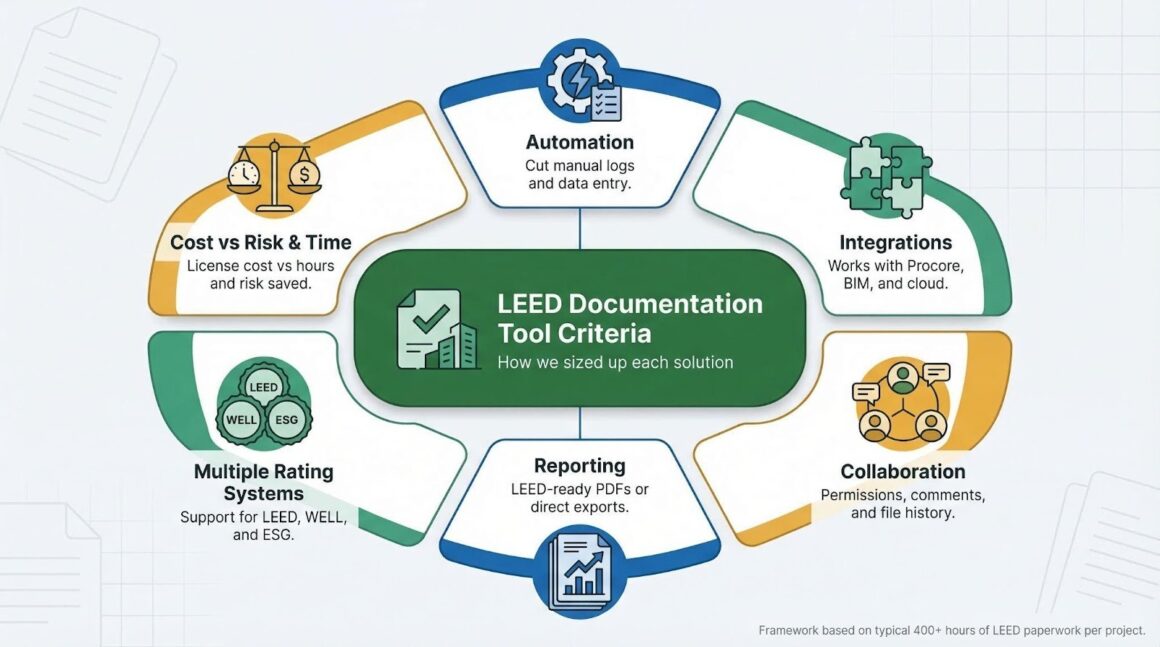
Keep these yardsticks in mind; they surface in every segment that follows, giving you a quick way to judge whether a platform fits your project or belongs on the wish list.
Enterprise-grade control: InEight Document
Picture every contract, drawing, and VOC sheet living in one searchable hub: no more digging through email threads at 11 pm. That tidy vision is why large contractors prefer InEight Document. The platform was built for megaproject paperwork, so LEED files flow through the same pipeline that already handles RFIs and submittals.
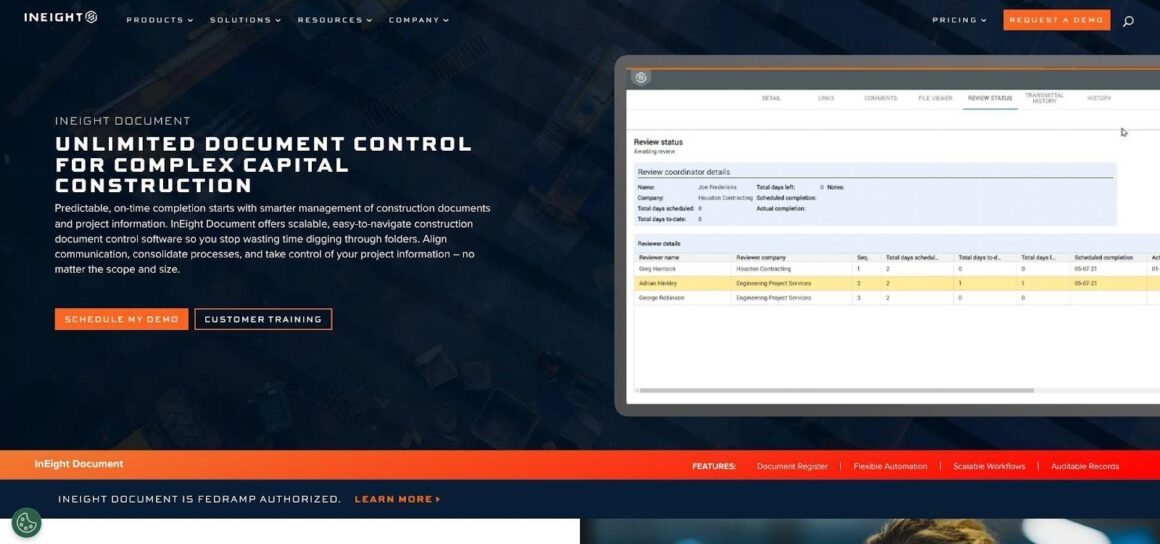
InEight Document Centralized LEED Document Control Dashboard Screenshot
We start with version control. InEight stamps each upload with time, user, and approval status.
Customer benchmarks show that project teams cut document search time by roughly 75 percent and trim email back-and-forth by up to 90 percent—learn more about the study behind those numbers.
Missed attachments and mystery edits disappear because you see a full audit trail on every file. When the sustainability lead marks a product sheet as “LEED-ready,” the entire team sees that status instantly.
Workflows come next. You can create a lane called LEED Credit EQc3 and route every indoor-air-quality form through design, construction, and owner sign-off. No coding, just drag-and-drop steps that match your internal QA process. The payoff shows up at close-out: every required piece already carries an approval badge, so the final LEED upload becomes an export, not a hunt.
Scale matters, too. If you manage a hospital campus with five LEED projects, InEight lets you mirror that folder structure across jobs and share templates, which is a win for firms standardizing sustainability practices across a portfolio.
Cost sits at the enterprise end of the spectrum. InEight sells by seat or enterprise agreement, so you budget for more than LEED alone. The upside is a single source of truth for all documents, trimming duplicate platforms and training hours.
Bottom line? Choose InEight Document when your team already runs on rigorous document control and wants LEED tracking woven into that same fabric. It feels heavy, but for complex builds the control is worth every click.
Built-for-LEED speed: Green Badger
Green Badger speaks fluent LEED. Open the dashboard and you’ll see every credit laid out like a live scorecard; nothing hides in a spreadsheet cell. Select a materials credit and the software scans thousands of product declarations in seconds, flagging those that meet v4.1 requirements. The “did we make it?” guessing game ends there.
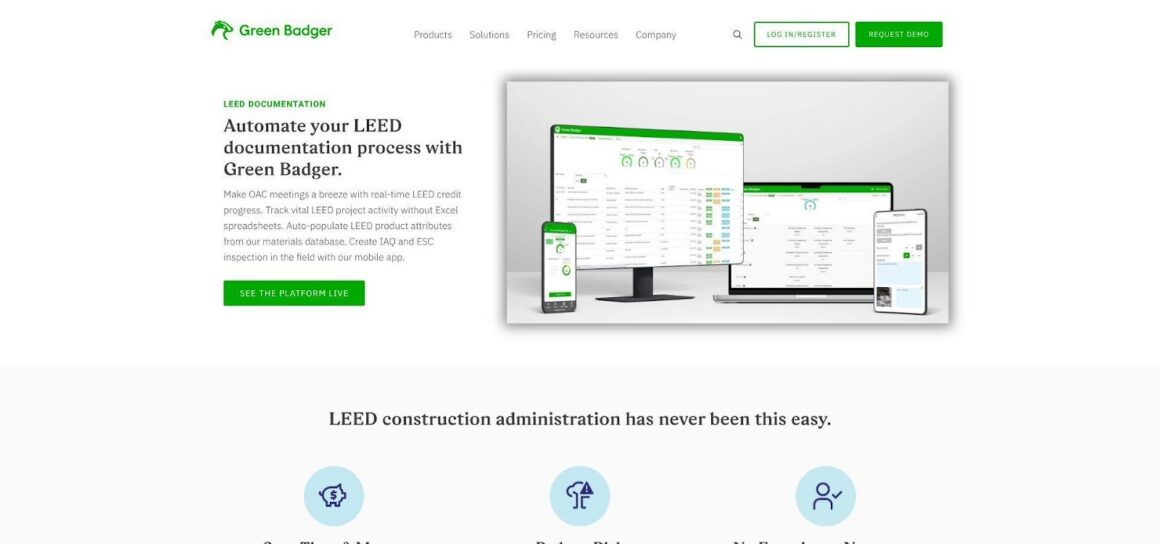
Green Badger LEED Credit Tracking Live Scorecard Screenshot
Automation is the headline. Log a dumpster ticket and Green Badger updates your construction-waste calculator automatically. Run an IAQ inspection in the mobile app, snap photos, and the platform builds the formatted PDF while you walk the site. Multiply those micro-saves across a nine-month build and the hours saved feel like found budget.
Integration matters, so Green Badger lives inside Procore. Your supers stay in a familiar interface while the sustainability team gets real-time credit data. No duplicate uploads, no “which portal?” emails.
Pricing sits around the cost of one RFQ typo per month: roughly three to six hundred dollars per project. For firms running multiple LEED jobs, volume tiers drop the rate further. Given that many teams lose four hundred hours to manual paperwork, the math favors Green Badger quickly.
Choose Green Badger when you need ready-to-go LEED support during construction and want the software to manage the rulebook. It is the quickest way to trade color-coded spreadsheets for credible, audit-ready submissions.
Consultant workhorse: Tracker Plus
Some projects need a bird’s-eye view from kickoff to final review, not just during construction. That longer runway is where Tracker Plus excels. Built by UK consultancy Southfacing, the web app mirrors the entire LEED scorecard and tags each credit with status, responsible party, and due date the moment you register.
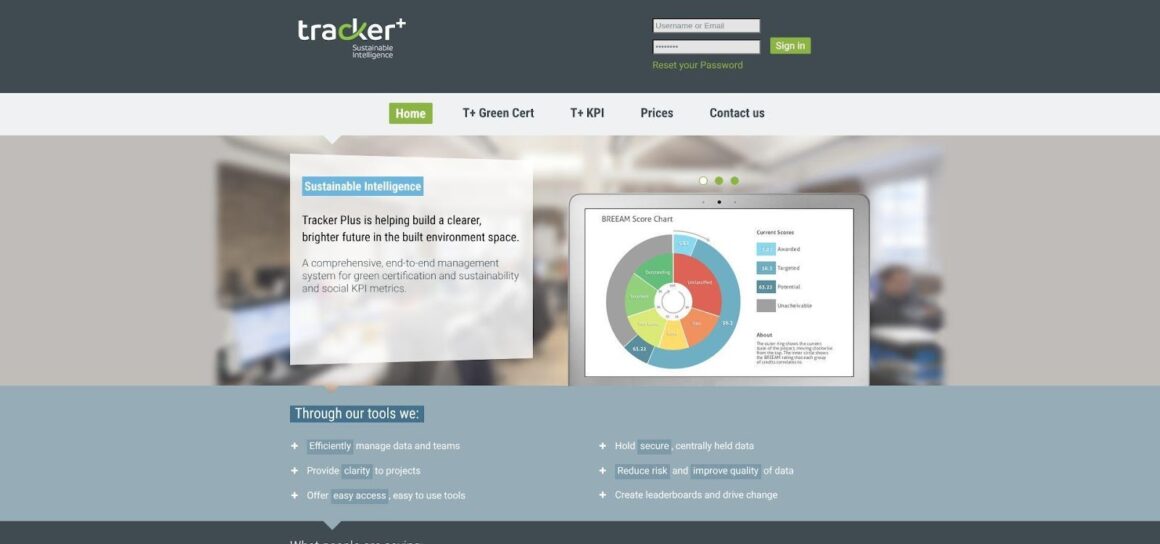
Tracker Plus LEED Scorecard and Risk Hotspot Dashboard Screenshot
Open the dashboard and risk hotspots glow amber. Click any credit and you’ll see a thread of comments, file uploads, and reviewer notes, so the story behind every point stays clear. Because Tracker Plus syncs with LEED Online, you avoid the double-entry pain: upload a narrative once, and it appears in the official portal.
Email reminders run quietly. If the mechanical engineer drifts past the energy-model deadline, Tracker Plus sends an alert, freeing the LEED lead to solve higher-value work. For consultants juggling ten buildings at once, that automation stops small tasks from snowballing.
The tool handles other rating systems as well. Need BREEAM or WELL tracking for the same site? Flip a switch, and the interface pivots to those frameworks, letting you reuse evidence across certifications. That adaptability helps global firms manage mixed-standard portfolios.
Pricing is custom, based on project count and seats. While figures aren’t public, most firms pass the cost through in their consulting scope. The payback shows up in smoother submissions and fewer clarification rounds with GBCI reviewers.
Tracker Plus fits teams that live and breathe certification management, whether architects or sustainability consultants guiding credits from schematic design to occupancy. If you want one cockpit for multi-year, multi-standard compliance, this is your proven ride.
DIY with the tools you already pay for
Not every team needs fresh software. If your crews already work in Procore, Fieldwire, or Asana, fold LEED tracking into those platforms and skip another login.
Use this approach: create a project board or submittal set named LEED. Turn each credit into a task card or submittal item. Assign owners, set deadlines, and attach every spec sheet or photo on the spot. Fieldwire hashtags (#LEED) and Procore custom fields keep filtering simple, so weekly OAC meetings highlight what is done and what still hangs.
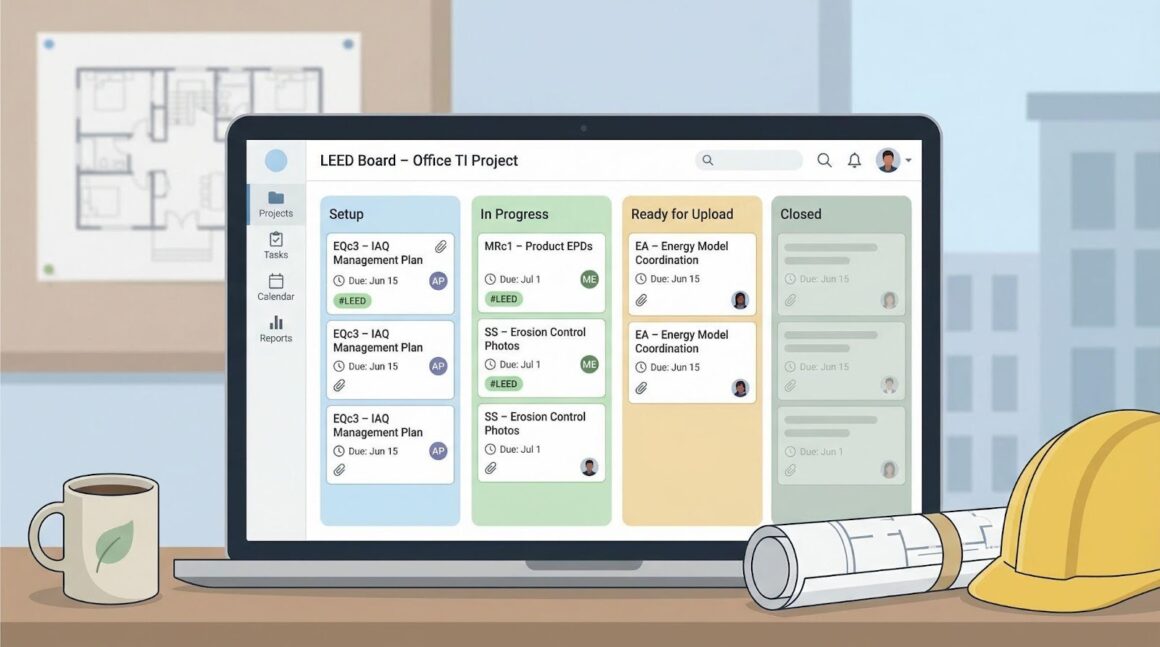
The cost benefit is clear: zero extra license fees. Everyone stays in a familiar environment, so adoption friction stays low. Notifications fire automatically because the PM tool already pings users when tasks age. One contractor shaved days off follow-ups by color-coding LEED tasks in Asana’s calendar view.
Trade-offs remain. These platforms do not understand LEED rules. They will not warn you when a product lacks an EPD or an IAQ form is missing. Someone must know the credit language in depth and guard data quality. Reports also take effort; you will export files and assemble the final package by hand.
DIY works best for smaller jobs, tight budgets, or teams with a savvy LEED champion who enjoys building templates. If that sounds right, start with one pilot project. Adjust the board until the workflow feels natural, then copy it across the portfolio.
The baseline everyone knows: spreadsheets plus LEED Online
Many teams still manage projects with nothing more than LEED Online, a shared drive, and a color-coded Excel file. The appeal is clear: no subscription fees, no onboarding, and full control over every cell and folder name.
This approach can work, especially on small interiors or first-time certifications. A disciplined LEED AP updates the tracker weekly, sends reminder emails, and keeps a strict naming convention so documents match the upload checklist later. Owners appreciate the zero-cost angle, and subcontractors feel comfortable emailing PDFs instead of learning new software.
Yet friction remains. Excel never pings the electrical vendor when an EPD is late, and it will not warn you when a photo is missing from the erosion-control log. Duplicate versions hide in inboxes, and someone eventually spends a weekend renaming files to fit LEED Online’s strict upload scheme.
The manual path is fine when the budget leaves no room for software or when a project pursues only a handful of straightforward credits. For anything larger, you pay in stress rather than cash. If you pick this route, schedule standing check-ins, lock down one master spreadsheet, and agree on file names on day one. Discipline will be the only automation you receive.
Credit-specific helpers you should not overlook
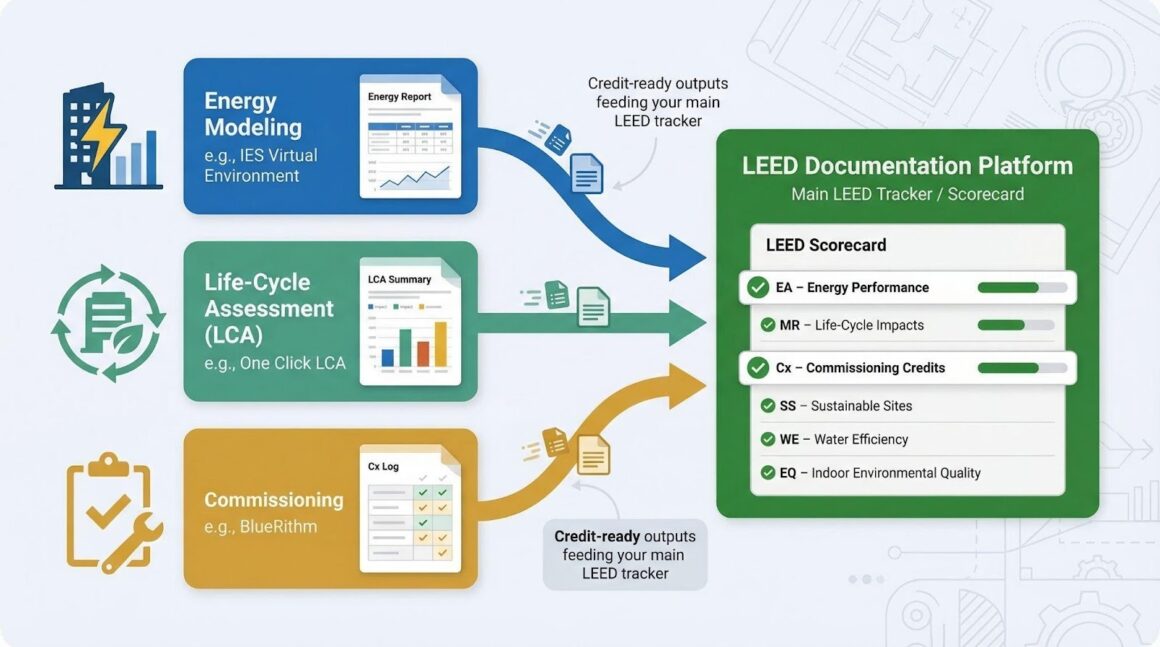
Even the best management platform cannot model energy or run a life-cycle assessment on its own. For those heavy-lift credits, specialty software steps in and shortens the path to proof.
Take IES Virtual Environment. Its LEED navigator guides energy modelers through every data point GBCI requests, then exports the exact summary tables reviewers expect. Same building physics work, less copy-paste.
On the materials side, tools such as One Click LCA pull quantities straight from Revit and generate a Building Life-Cycle Impact Reduction report in minutes. When the structural engineer updates steel tonnage, you rerun the assessment instead of rebuilding spreadsheets.
Commissioning agents have their niche too. Platforms like BlueRithm track every functional test, create deficiency logs, and bundle the final report so the Fundamental and Enhanced Commissioning credits pass on the first round.
Most all-in-one LEED trackers accept outputs from these tools, but integration remains early. Think of the combo as a relay race: niche software produces credit-ready evidence, while your main platform stores and audits it.
Conclusion
Bottom line? Set aside time and budget for these helper apps. They often decide whether complex performance credits land quickly or linger in review comments.